From Order to Verified Link: A Campaign Lifecycle Walkthrough for SEO Agencies
It is 9:40 on a Monday morning, and you are staring at three inboxes and a spreadsheet with 47 tabs. A client has just asked a simple question: “Where is the link order I placed two weeks ago?” To answer it, you need to check the order form in one system, the content brief in a shared doc, the publishing calendar in another tool, and the verification report that may or may not have been sent. By the time you reply, the client has already sent a follow-up. This is the hidden tax of running a link-building operation: not the outreach itself, but the handoffs between orders, content, publishing, and reporting.
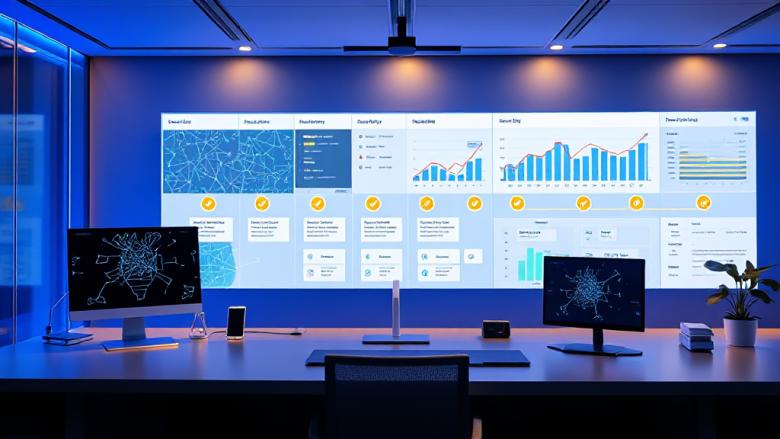
This walkthrough traces one backlink campaign from the moment an order lands to the moment a verified link is delivered, using a single operational platform as the spine. Think of it as a teardown for the agency owner or operations lead who wants to replace the spreadsheet-and-email relay with a repeatable workflow. The platform in question is pbnrank, a link-building automation system that manages orders, generates content, schedules publishing, and delivers reports from one control room. The goal here is not to sell you on software but to show what a clean lifecycle looks like so you can spot the gaps in your own.
Stage 1: Order Intake and Specification
Every campaign begins with an order, but the quality of the campaign is decided by how much of the order is specified before anyone touches content. In a manual setup, an order arrives as an email, a Slack message, or a form submission that lands in a shared inbox. Someone copies the details into a spreadsheet, and the first ambiguity appears: is the target URL the homepage or a service page? Is the anchor text exact-match or partial? Are there banned topics?
In a centralized workflow, order intake becomes a structured record. The client or reseller submits the target URL, preferred anchor text, topic restrictions, language, and any compliance notes. That record is tied to a campaign ID, which becomes the reference point for every downstream stage. The operations lead can see at a glance which orders are complete, which are missing a brief, and which are waiting on client approval. The handoff from sales to production stops being a forwarded email and becomes a status change inside the platform.
For agencies managing resellers, this stage also handles white-labeling. The reseller places an order on behalf of their client, but the agency sees the operational details without the reseller having to re-key anything. The practical benefit is that the order record is the single source of truth from minute one, which means the client’s Monday-morning question can be answered by opening one screen instead of three.
Stage 2: Content Generation and Briefing
Once the order is specified, the next bottleneck is usually content. A link needs a page to live on, and that page needs to be relevant, readable, and aligned with the target site’s topic. In a spreadsheet workflow, content requests go out to writers via email, briefs are attached as documents, and revisions bounce back and forth. The operations lead becomes a traffic controller, and the publishing calendar slips every time a writer misses a deadline.
An automated content generation stage does not remove the need for editorial judgment, but it removes the blank-page delay. The platform generates a draft based on the order’s topic, target URL, and anchor requirements. The draft is attached to the campaign record, so the writer or editor can review it in context rather than in a separate document. If the order specifies a language or a tone, those parameters travel with the draft. The handoff from order to content stops being a request and becomes a queued task.
This is where many agencies discover that their real problem is not writing speed but briefing consistency. When every order carries the same structured fields, the content generated for a legal client and the content generated for a SaaS client follow the same quality checks. The editor’s job shifts from chasing missing information to approving or rejecting a draft that already meets the brief. That is a meaningful difference in throughput, especially when you are managing dozens of orders a week.
Stage 3: Publishing Scheduling and Placement
Content approved is not content published. The scheduling stage is where most manual workflows lose visibility. A writer delivers a draft, an editor approves it, and then it sits in a folder waiting for someone to log into a site, paste the content, add the link, and hit publish. If the site is one of many, the publishing queue becomes a memory test.
A scheduling layer turns publishing into a calendar operation. Each approved piece of content is assigned a publication slot, and the platform tracks which slots are filled, which are pending, and which have failed. The operations lead can see the campaign’s publishing timeline the same way a content manager sees an editorial calendar. If a slot is at risk, the platform flags it before the client notices a gap.
The handoff here is between content and placement. In a manual setup, that handoff is an email with an attachment and a prayer. In a scheduled workflow, the content is already linked to the placement record, so the person publishing does not need to hunt for the right draft or the right anchor. For agencies running private blog networks or managed placements, this is the stage where link velocity becomes predictable rather than accidental. You stop promising “within two weeks” and start showing a calendar that says exactly when each link goes live.
Stage 4: Link Verification and Quality Checks
The link is live. Now the question is whether it is actually the link you ordered. Manual verification means clicking through to the page, checking the anchor text, confirming the target URL, and noting whether the link is do-follow or no-follow. Multiply that by fifty orders and you have a full day of clicking. Worse, verification is often skipped when deadlines are tight, which means quality issues reach the client before they reach you.
A verification stage automates the checks that do not require human judgment. The platform confirms that the page is live, that the anchor text matches the order, that the target URL resolves correctly, and that the link attributes are as specified. Any mismatch is flagged for review. The operations lead sees a verification status per link rather than a pile of screenshots. The handoff from publishing to quality assurance becomes a checklist that runs itself.
This is also where recovery enters the picture. Links go down. Pages get deleted, domains expire, and placements get removed. A verification workflow that runs on a schedule catches these failures early, before the client reports them. The campaign record shows which links need replacement and which are still healthy. For an agency, that means the difference between a reactive apology and a proactive replacement order. The platform’s emphasis on building, publishing, and recovering campaigns from one control room is most visible at this stage, because recovery is only possible if verification is continuous.
Stage 5: Reporting and Client Delivery
Reporting is where the entire lifecycle either pays off or falls apart. If the previous stages were managed in separate tools, reporting becomes an archaeology project. Someone exports data from the order sheet, cross-references it with the publishing calendar, and manually builds a report that is out of date by the time it is sent.
In a unified workflow, the report is a view of the campaign record, not a separate artifact. The platform can generate a delivery report that shows the order details, the published URLs, the verified links, and the status of each placement. For agencies, this report is also a client communication tool. Instead of answering “where is my link?” with a screenshot, you send a report that shows the full trail from order to verification.
The handoff from operations to account management becomes a sharing action rather than a rebuilding action. Resellers can receive white-labeled reports that carry their branding, and platform administrators can see aggregate campaign health across clients. The practical outcome is that the Monday-morning question gets answered in minutes, and the account manager does not need to ask the operations lead for an update. The data is already in the system, and the report is simply a window into it.
Stage 6: Reseller and Client Collaboration
Link-building operations rarely involve a single party. There is the agency, the reseller, the end client, and sometimes a platform administrator. Each party needs a different view of the same campaign. In a manual workflow, those views are maintained through email threads and shared spreadsheets, which means version control is a fantasy and access control is worse.
A collaborative platform assigns roles and permissions to the campaign record. The reseller sees their orders and their clients’ reports. The end client sees delivery status and verified links. The agency sees the full operational picture, including content drafts and publishing schedules. The platform administrator sees the system-wide health of campaigns, orders, and publishing queues. The handoff between parties becomes a permission setting rather than a forwarded email.
This is where pbnrank functions as more than a task manager. It becomes the shared surface where agencies, resellers, and clients collaborate on the same campaign without stepping on each other’s work. The reseller does not need to ask the agency for a status update because the status is visible in their portal. The client does not need to email the account manager because the report is already delivered. The operations lead does not need to reconcile three versions of the truth because there is only one.
Stage 7: Recovery, Renewal, and Lifecycle Closure
The final stage is the one most agencies handle worst: what happens after delivery. A campaign is not closed when the report is sent. Links can be lost, content can be updated, and clients can renew or expand their orders. In a manual workflow, post-delivery management is a memory exercise. Someone has to remember to check the links next month, and someone has to decide whether a lost link is worth replacing.
A lifecycle-aware platform treats recovery as a scheduled operation. Verification runs on an ongoing basis, and lost links generate recovery tasks that are tied to the original order. The operations lead can see which campaigns need replacement links, which clients are due for renewal, and which orders have been fully delivered and verified. The handoff from delivery to retention becomes a queue of follow-up actions rather than a hope that someone remembers.
Closure is also where the operational data becomes useful for planning. The campaign record shows how long each stage took, where delays occurred, and which content or placement types performed best. For an agency owner, that is the raw material for pricing decisions, capacity planning, and client conversations. Instead of guessing why a campaign took three weeks, you can point to the stage that caused the delay and fix it for the next order.
If you take one thing from this walkthrough, make it the closing checklist: every order should have a structured record, every content draft should be tied to that record, every publication should be scheduled and tracked, every link should be verified against the order, every report should be generated from the same data, every party should see the view they need, and every delivered campaign should have a recovery path. When those seven checks are true, the Monday-morning question stops being a fire drill and becomes a lookup. That is the difference between running a link-building operation and running a link-building business.